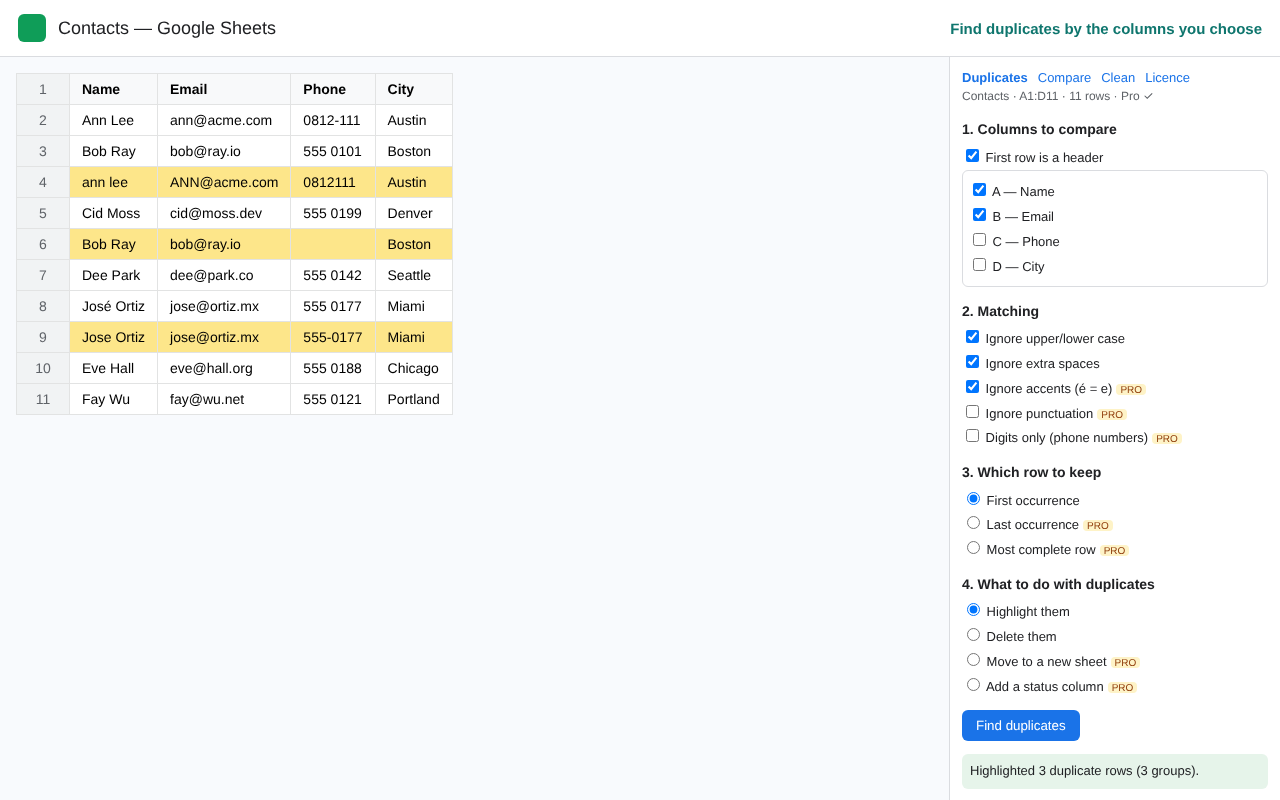
Find duplicate rows by the columns you choose, then highlight, delete, move or label them. Compare and merge two sheets. Tidy spaces, case and empty rows.
The copy runs CleanRows inside your own sheet, so Google shows “Google hasn’t verified this app” — click Advanced → Go to CleanRows. It only accesses that spreadsheet; licence keys are checked on rampung.pages.dev.

Sheets and Excel can delete duplicates. CleanRows lets you review first, match messy text and work across sheets.
Pick the key columns. Ignore case and extra spaces, or accents, punctuation and phone formatting (Pro).
Highlight or delete for free. Move duplicates to a new sheet or add a “Duplicate of row N” column (Pro).
Find rows missing from another sheet, or bring matching columns across like VLOOKUP, without formulas (Pro).
Trim spaces, remove line breaks, change case, delete empty rows. Fill blanks from above and split columns (Pro).
CleanRows only asks for access to the spreadsheet you are using. It makes no network calls with your data, so nothing leaves your sheet, not even to us.
Permissions: spreadsheets.currentonly · script.container.ui
One licence works in Google Sheets and Excel. 30-day money-back guarantee.
In Indonesia: Rp399.000 lifetime via QRIS, e-wallet or bank transfer.
Buy in IDR| Free | Pro | |
|---|---|---|
| Rows per run | 1,000 | Unlimited |
| Highlight / delete duplicates · ignore case & spaces | ✓ | ✓ |
| Ignore accents, punctuation, phone formatting | — | ✓ |
| Keep last / most complete row · move · status column | — | ✓ |
| Trim spaces, change case, delete empty rows/columns | ✓ | ✓ |
| Fill blanks from above, split column | — | ✓ |
| Compare two sheets · merge columns (lookup) | — | ✓ |
After buying on Gumroad, turn your Gumroad key into a CleanRows key on the activation page. One licence = one Google/Microsoft account.
It deletes immediately, keeps only the first row and treats “Ann” and “ann ” as different. CleanRows lets you review first, normalise messy text, choose which row survives and compare across sheets. How it compares to Ablebits.
Only when you choose Delete or Move. Highlight and Status column never remove anything, and formulas are never overwritten by Clean.
Pro has no row limit of its own. Google stops any add-on run after 6 minutes, so very large tables (100,000+ rows) may need to be processed in parts.
No. Your licence key is stored in your own add-on settings.
Within 30 days, reply to your receipt email. See the terms.